How to Make an ID Card Online
Learn how to create professional employee ID cards, student ID cards and organization badges using templates, online tools and PVC card printing methods.
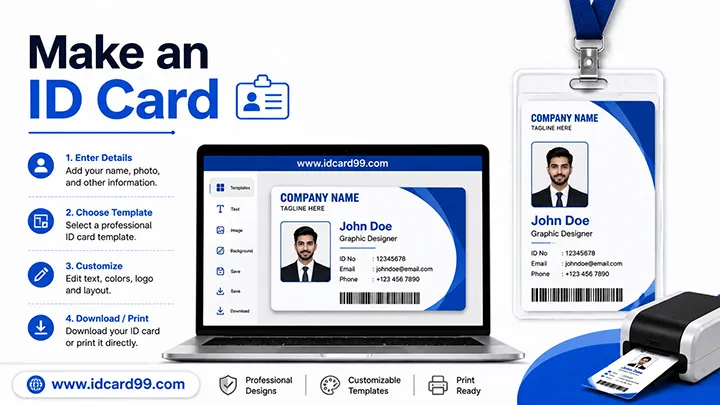
Professional ID cards are widely used in schools, colleges, offices, hospitals, events and organizations for identity verification and security.
In this guide, you will learn how to design an ID card online, choose the correct size, add security features and print durable PVC ID cards.
1. Gather Required Information
Before creating the card, collect the following details:
- Organization or school name
- Logo
- Cardholder photo
- Full name
- ID number
- Department or class
- Phone number
- Address
- Validity period
- QR code or barcode (optional)
2. Choose the Standard ID Card Size
The most common size is the CR80 standard: 85.6 × 54 mm .
This size is compatible with PVC card printers, lanyards, holders and smart card systems.
3. Select an ID Card Template
Using ready-made templates saves time and helps maintain a professional layout.
Download free templates from our ID Card Templates section.
4. Upload Photo and Logo
Use a high-quality passport-size photo and a clear organization logo for better printing quality.
Prepare images using our Photo Crop Tool .
5. Add Cardholder Information
Add important text fields and align them properly to maintain readability and professional design quality.
Choose clean fonts and avoid excessive design elements.
6. Add Security Features
Depending on your requirements, you can add:
- QR codes
- Barcodes
- RFID chips
- NFC tags
- Holograms
- Digital signatures
7. Download and Print
Download the final design in JPG, PNG or PDF format and print it on PVC cards using a professional card printer.
Use Our Free Online ID Card Generator
Create employee and student ID cards instantly using our free online generator tools.
Benefits of Professional ID Cards
- Improves security and identification
- Supports attendance systems
- Enhances organizational branding
- Builds professionalism and trust
- Useful for events and memberships
Learn More About ID Card Standards
Read more about the ISO/IEC 7810 standard used for ID card dimensions and smart cards.
Related Resources
Frequently Asked Questions
How do I make an ID card online?
Choose a template, upload a photo, enter details and download the finished card.
What size is a standard ID card?
The CR80 standard size is 85.6 × 54 mm.
Can I print ID cards on PVC cards?
Yes, PVC cards are durable and widely used for professional printing.
Which software is commonly used for ID card design?
Online ID card generators, Canva, Photoshop and CorelDRAW are commonly used.
Conclusion
Creating an ID card online is simple when you use the correct templates, tools and printing methods.
Whether you need employee ID cards, student ID cards or visitor badges, professional layouts and PVC printing help create durable and secure identity cards.
Need Professional ID Card Printing?
Contact IDCard99 for PVC ID card printing, RFID cards, NFC cards and bulk card orders.
Contact Us